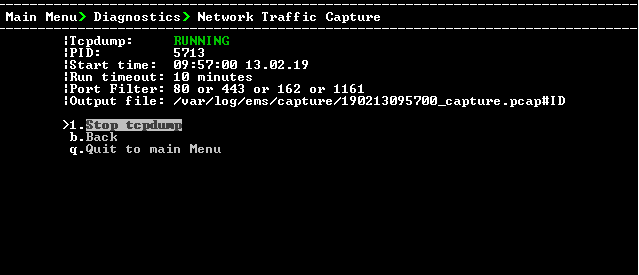
Network Traffic Capture
Network traffic can be captured to a PCAP capture file according to a list of IP addresses and ports and a specified time period. The PCAP files can later be opened with a network sniffer program such as Wireshark.
| ➢ | To capture TCP traffic: |
| 1. | From the Diagnostics menu, choose option Network Traffic Capture. |
Network Traffic Capture
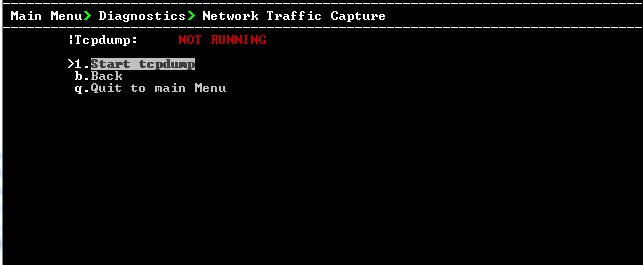
| 2. | Select option 1 Start tcpdump. |
| 3. | Select y to start the tcpdump. |
TCP Dump
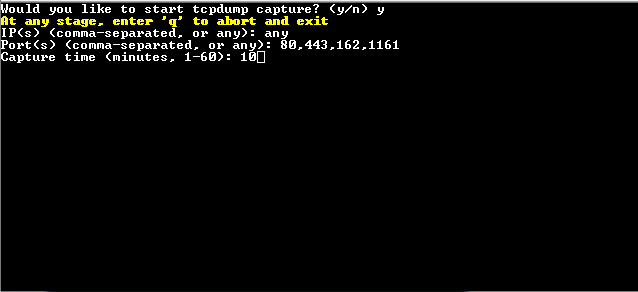
| 4. | Enter comma separated IP address (es) or accept the default "any" IP address. |
| 5. | Enter comma separated port (s) or accept the default "any". |
| 6. | Enter the capture time (in minutes). Default: network traffic for the last ten minutes is captured. |
Starting TCP Dump
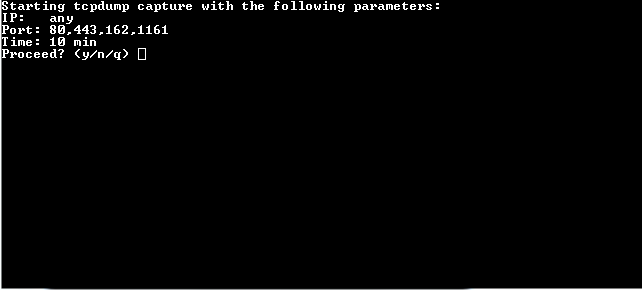
| 7. | Select y to proceed. |
TCP Dump Running